> ## Documentation Index
> Fetch the complete documentation index at: https://docs.yirenova.com/llms.txt
> Use this file to discover all available pages before exploring further.
# OLED显示模块
## ⭐ 简介
SSD1306是一个单片CMOS OLED/PLED 驱动芯片可以驱动有机/聚合发光二极管点阵图形显示系统。由128segments和64Commons组成。该芯片专为共阴极OLED面板设计。 SSD1306中嵌入了对比度控制器、显示RAM和晶振,并因此减少了外部器件和功耗。有256级亮度控制。数据/命令的发送有两种接口可选择:I2C接口或SPI接口。 适用于多数简介的应用,注入移动电话的屏显,MP3播放器和计算器等。
#### ⭐ 参数
* 工作温度:-40 \~ 70℃
* 工作电压:3.3 \~ 5V
* 显示像素:128 x 64
* 驱动芯片:SSD1306
* 显示颜色:白色
* 尺寸:0.96 inch
#### ⭐ 接口
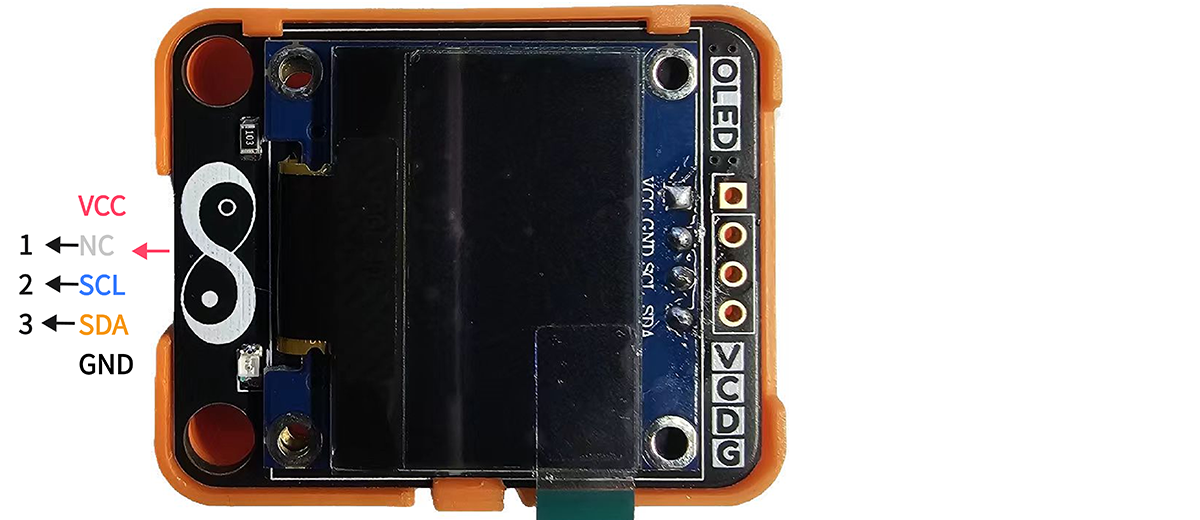 #### ⭐ 尺寸
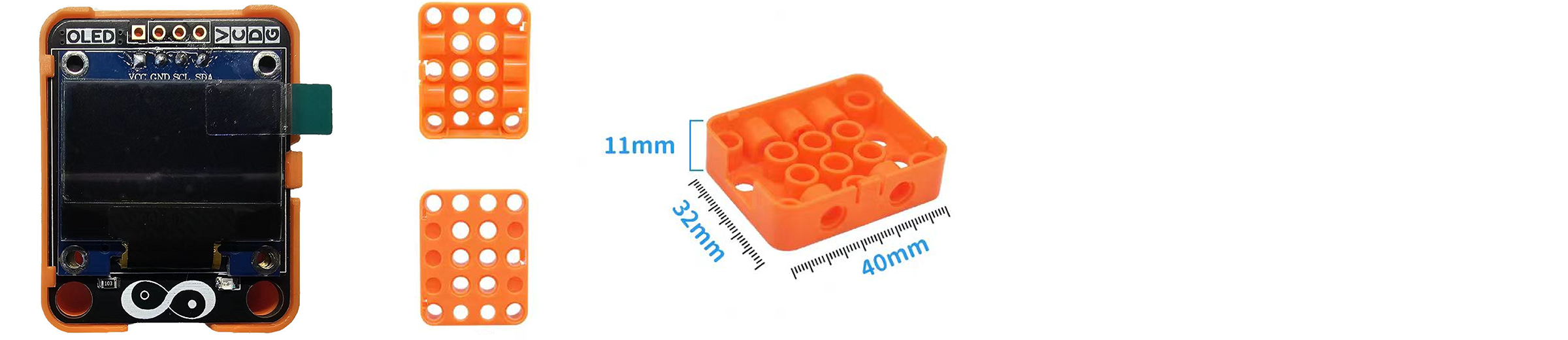
* 📐 32mm x 40mm x 14.6mm
#### ⭐ 尺寸
* 📐 32mm x 40mm x 14.6mm
 ## ⭐ 如何使用
在Artikit-ESP32-S3主控板控制下,通过OLED显示屏显示文字信息。
#### ⭐ 准备
* 硬件
* Artikit-ESP32-S3主控板 x1
* Artikit-OLED模组 x1
* GH1.25连接线 x1
* 12V直流电源 x1
* PC电脑 x1
* 软件
[](https://arduino.cc/en/Main/Software)
#### ⭐ 连接图
## ⭐ 如何使用
在Artikit-ESP32-S3主控板控制下,通过OLED显示屏显示文字信息。
#### ⭐ 准备
* 硬件
* Artikit-ESP32-S3主控板 x1
* Artikit-OLED模组 x1
* GH1.25连接线 x1
* 12V直流电源 x1
* PC电脑 x1
* 软件
[](https://arduino.cc/en/Main/Software)
#### ⭐ 连接图
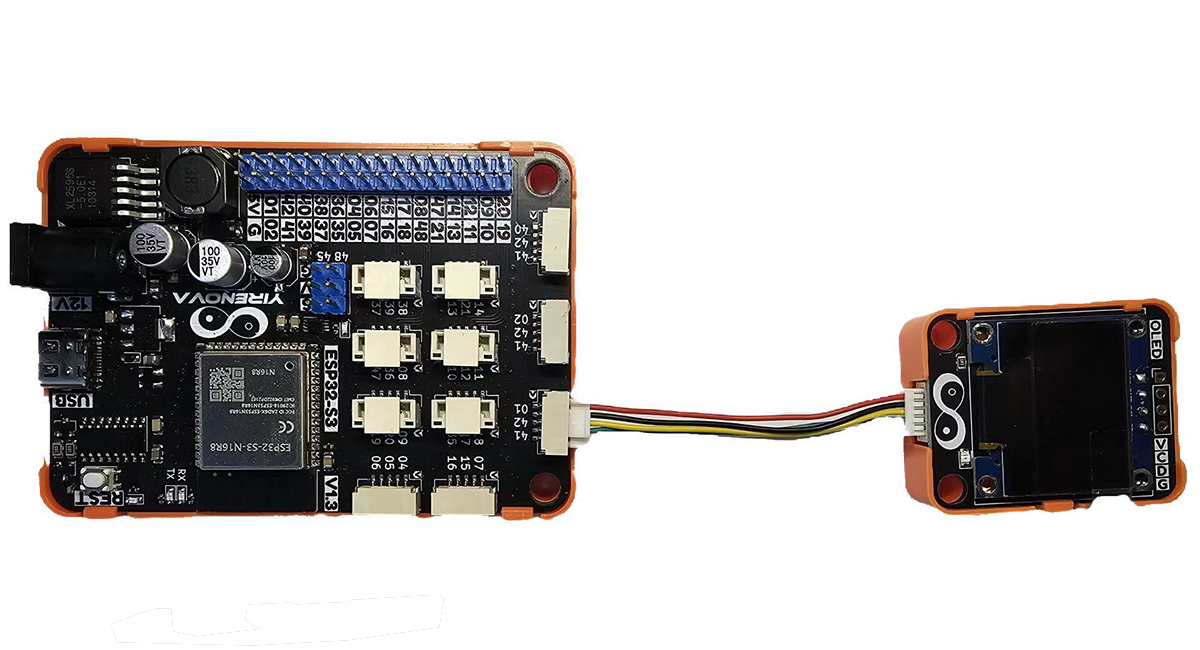 * 打开Arduino的程序编译环境,上传以下代码:
```c++ oled.ino theme={null}
#include
#include
#include
#define IIC_SDA_PIN 41
#define IIC_SCL_PIN 42
#define SCREEN_WIDTH 128
#define SCREEN_HEIGHT 64
#define OLED_RESET -1
#define SCREEN_ADDRESS 0x3C
Adafruit_SSD1306 display(SCREEN_WIDTH, SCREEN_HEIGHT, &Wire, OLED_RESET);
void setup() {
Wire.begin(IIC_SDA_PIN, IIC_SCL_PIN);
if (!display.begin(SSD1306_SWITCHCAPVCC, SCREEN_ADDRESS)) {
Serial.println(F("SSD1306 allocation failed"));
for (;;);
}
display.clearDisplay();
display.setTextSize(2);
display.setTextColor(SSD1306_WHITE);
display.setCursor(0, 0);
display.println("Artikit");
display.println("ESP32-S3");
display.display();
}
void loop()
{
}
```
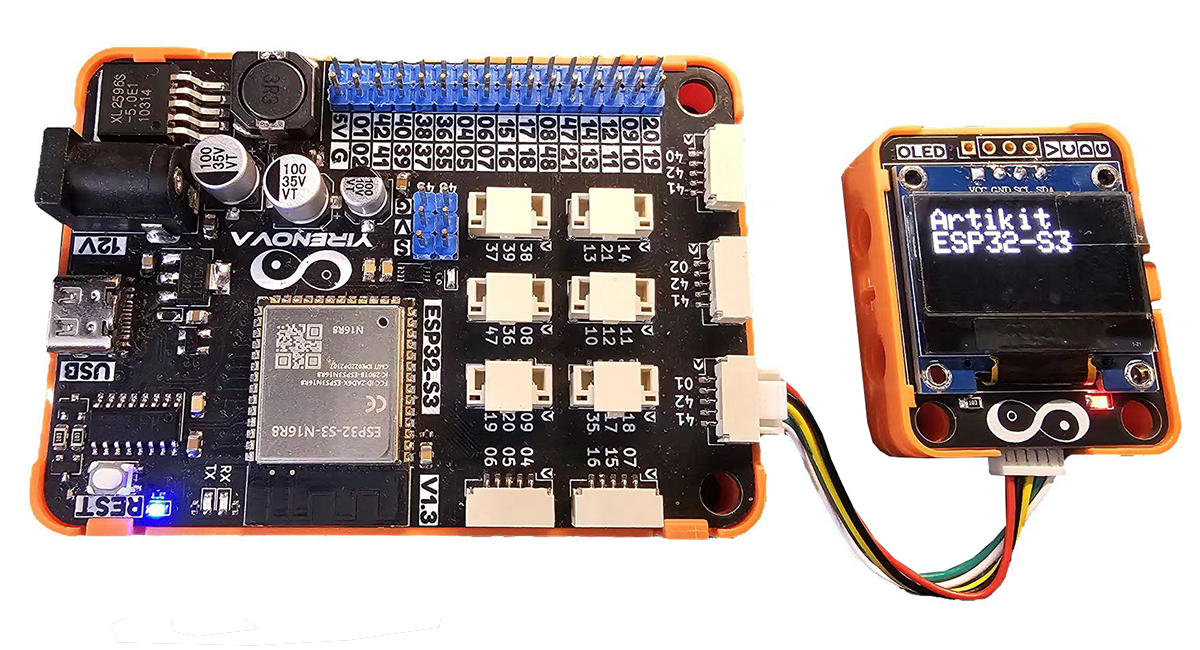
将会在OLED显示屏上看到显示的 “Artikit ESP32-S3” 信息。
* 打开Arduino的程序编译环境,上传以下代码:
```c++ oled.ino theme={null}
#include
#include
#include
#define IIC_SDA_PIN 41
#define IIC_SCL_PIN 42
#define SCREEN_WIDTH 128
#define SCREEN_HEIGHT 64
#define OLED_RESET -1
#define SCREEN_ADDRESS 0x3C
Adafruit_SSD1306 display(SCREEN_WIDTH, SCREEN_HEIGHT, &Wire, OLED_RESET);
void setup() {
Wire.begin(IIC_SDA_PIN, IIC_SCL_PIN);
if (!display.begin(SSD1306_SWITCHCAPVCC, SCREEN_ADDRESS)) {
Serial.println(F("SSD1306 allocation failed"));
for (;;);
}
display.clearDisplay();
display.setTextSize(2);
display.setTextColor(SSD1306_WHITE);
display.setCursor(0, 0);
display.println("Artikit");
display.println("ESP32-S3");
display.display();
}
void loop()
{
}
```
将会在OLED显示屏上看到显示的 “Artikit ESP32-S3” 信息。
 ## ⭐ 其他资料
OLED显示模块原理图 [下载](../../public/resources/schematics/oled.pdf)
OLED显示驱动芯片数据手册 [下载](../../public/resources/datasheet/SSD1306.PDF)
OLED显示屏数据手册 [下载](../../public/resources/datasheet/N096-2864KSWEG01-H30.PDF)
## ⭐ 其他资料
OLED显示模块原理图 [下载](../../public/resources/schematics/oled.pdf)
OLED显示驱动芯片数据手册 [下载](../../public/resources/datasheet/SSD1306.PDF)
OLED显示屏数据手册 [下载](../../public/resources/datasheet/N096-2864KSWEG01-H30.PDF)